Turning recipe discovery
into product sales on the retail rack.
An interactive Android-based Recipe & Product Discovery Kiosk for Catch Masala, DS Group, connecting recipe browsing directly to the shelf.
Frostline Technologies developed an interactive Android-based Recipe & Product Discovery Kiosk application for Catch Masala, DS Group, designed to provide customers with an engaging digital experience for discovering recipes, ingredients and the relevant Catch Masala products available on the retail rack.
The solution combines an interactive touchscreen kiosk, Android application, centralized web-based Admin Panel and digital product/recipe management system.
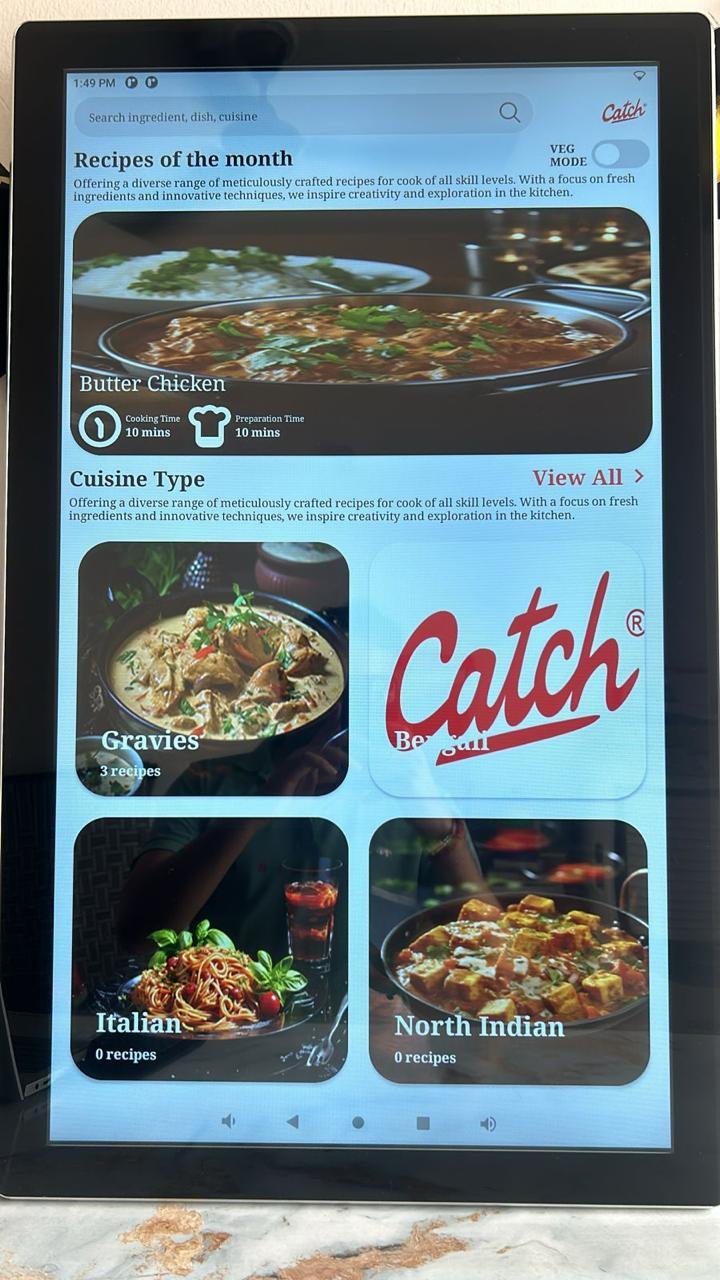
The kiosk displays an attractive, visually rich home screen designed to immediately engage customers. The first screen features:
- Promotional videos
- Product images
- Recipe images
- Brand communication
- Image/video slider
- Catch Masala promotional content
- Touch-enabled interface
The content automatically rotates in the background. When a customer touches the screen, the application moves to the interactive recipe discovery section.
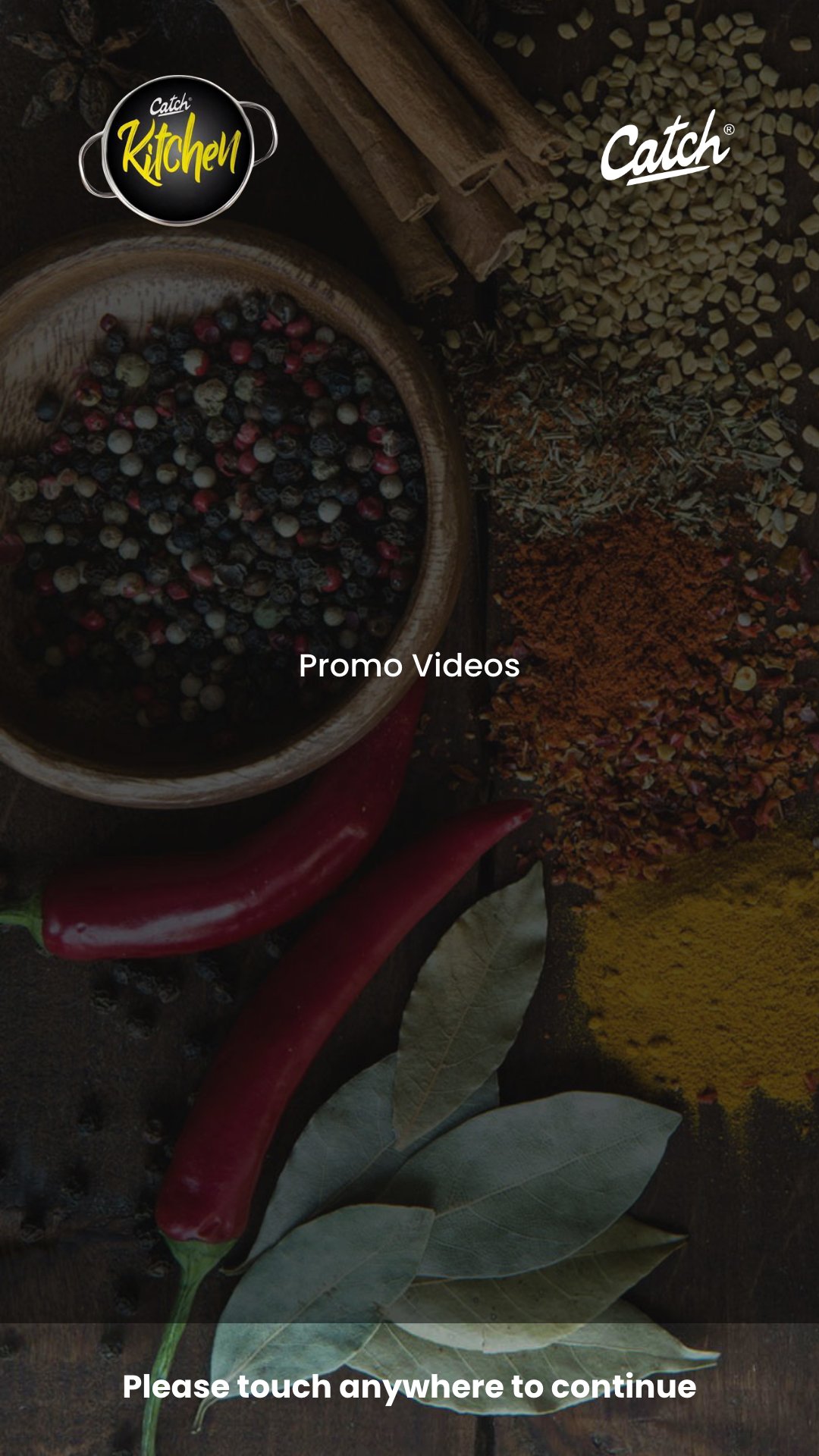
The second screen provides customers with an easy-to-use recipe browsing experience. The interface is divided into sections:
Top Section — Recipe of the Day
The application prominently displays the Recipe of the Day, allowing Catch Masala to promote selected recipes and products.
Bottom Section — Cuisine Categories
Different types of cuisines and recipe categories are displayed, allowing customers to explore recipes based on their interests. Examples may include:
- North Indian
- South Indian
- Chinese
- Snacks
- Vegetarian
- Non-Vegetarian
- Breakfast
- Main Course
- Street Food
- Special Recipes
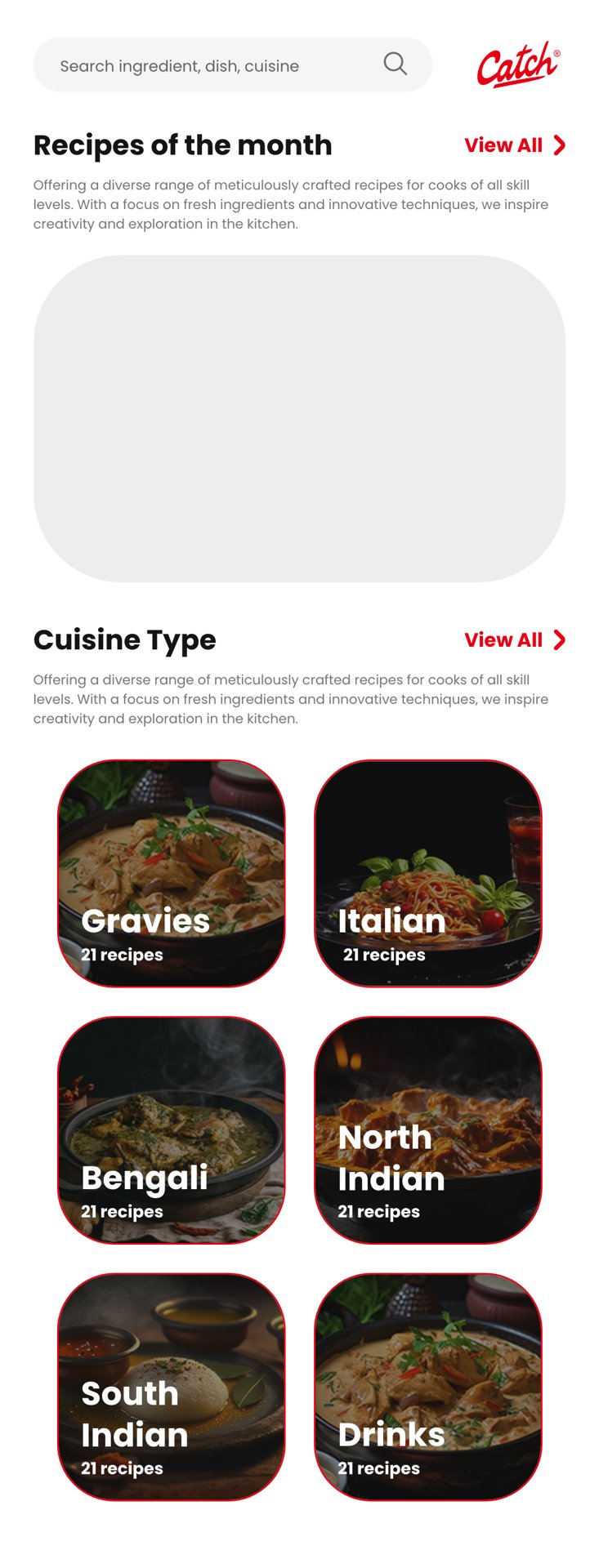
When a customer selects a recipe, the kiosk displays comprehensive recipe information, including:
- Recipe name
- Recipe photograph
- Recipe description
- Ingredients required
- Cooking instructions
- Preparation details
- Cooking time
- Serving information
- Catch Masala products used in the recipe
This enables customers to understand how the selected Catch Masala product can be used in preparing the dish.
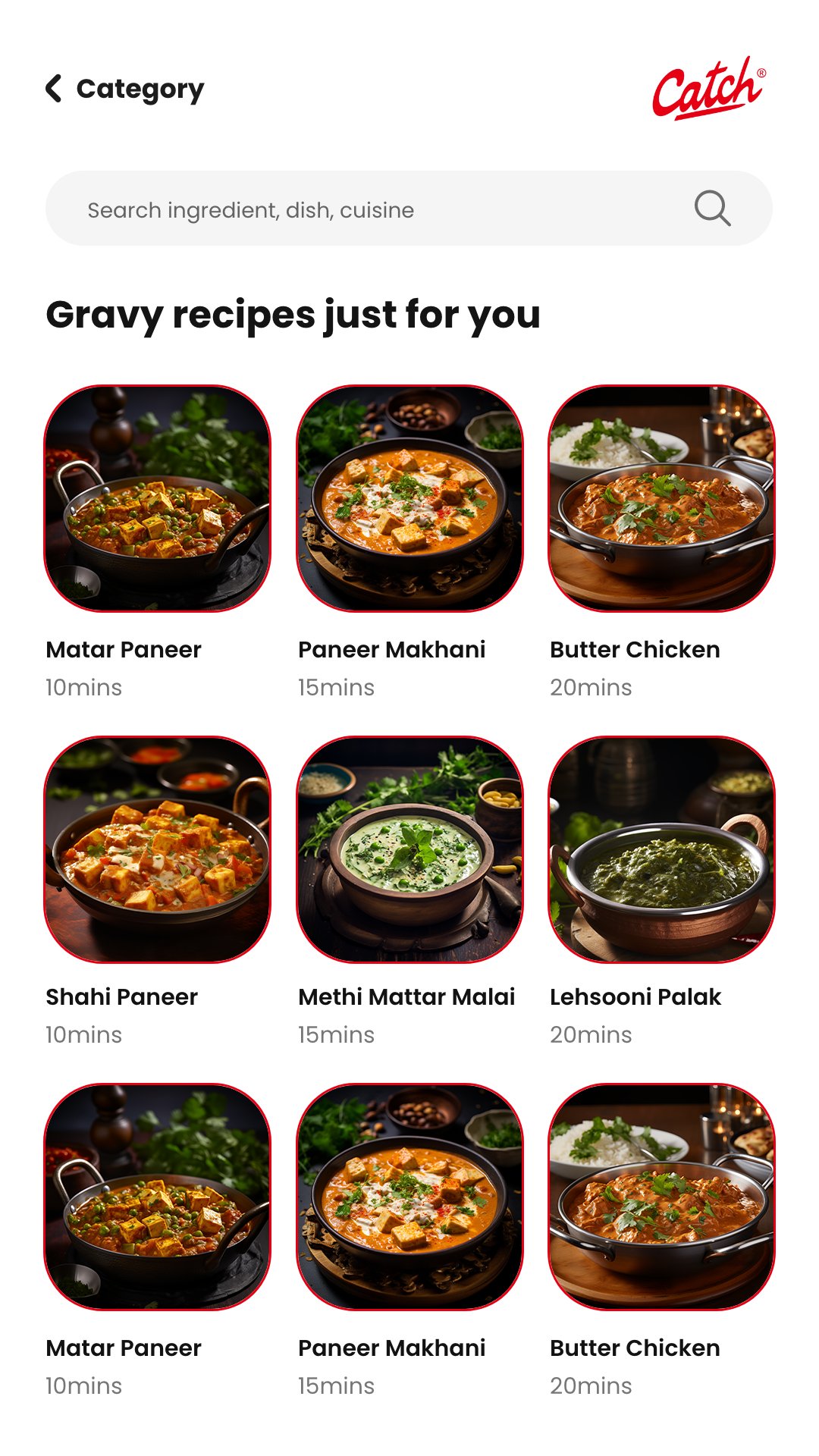
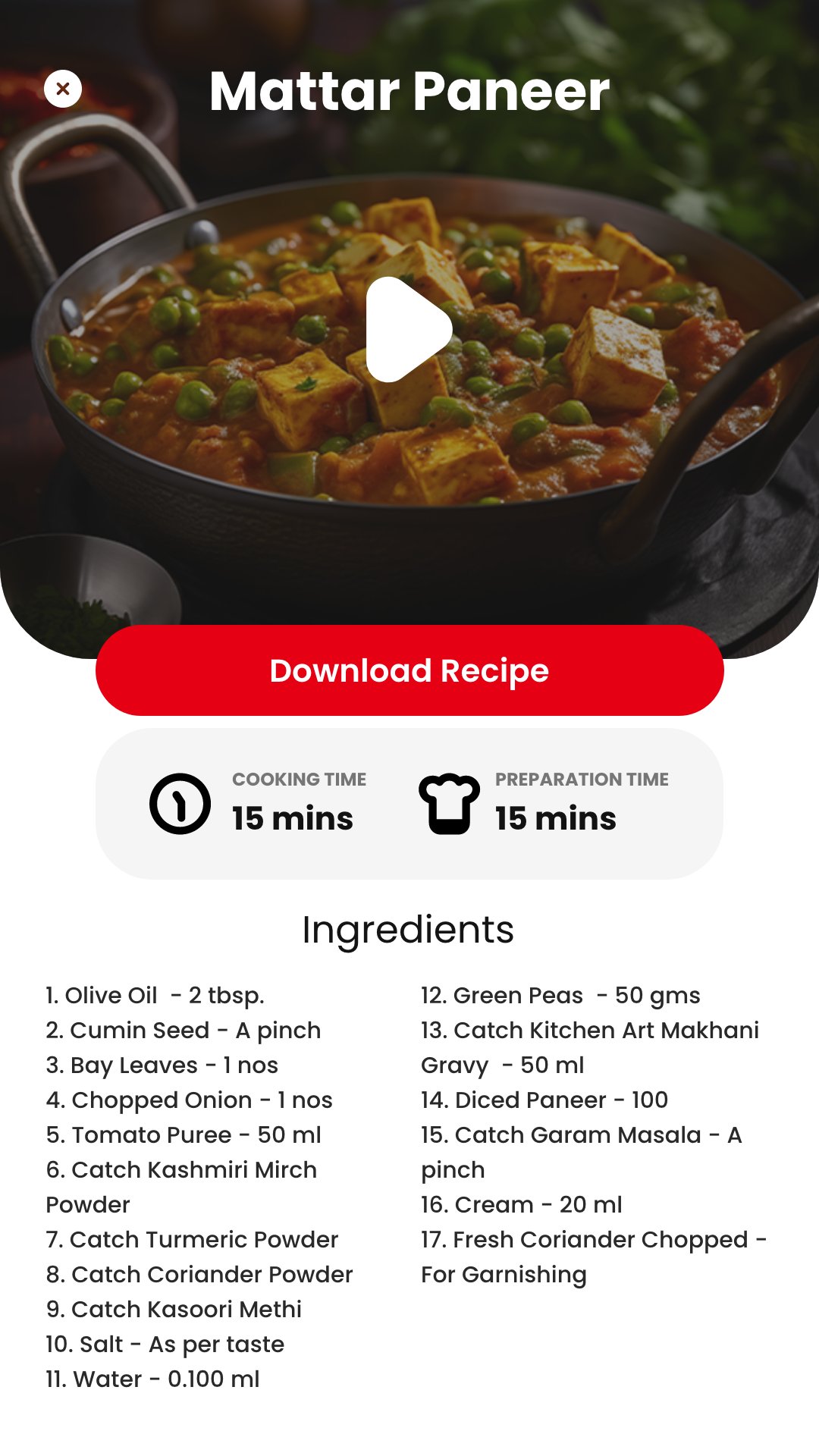
A key feature of the application is the direct connection between recipes and Catch Masala products. For every recipe, the system identifies the relevant Catch Masala product used in its preparation. The customer can see:
Recipe → Ingredients → Catch Masala Product → Retail Rack Location
This creates a direct path from recipe discovery to product purchase.
The application also provides information about where the relevant Catch Masala product is located in the store/rack. After viewing the recipe, the customer can identify:
- Catch Masala product name
- Product image
- Pack/product details
- Relevant masala used
- Rack/placement information
This feature helps customers quickly locate the required product in the physical retail environment.
Frostline developed a centralized Web-Based Administration Panel through which authorized users can manage the complete kiosk content. Administrators can manage:
- Recipe information
- Recipe categories
- Recipe of the Day
- Recipe photographs
- Promotional images
- Promotional videos
- Ingredients
- Cooking instructions
- Catch Masala products
- Product photographs
- Product-to-recipe mapping
- Rack/location information
- Display content
- Banners and sliders
- Publish/unpublish status
This allows the business team to update kiosk content without modifying or reinstalling the Android application.
The customer-facing application was developed on the Android platform and optimized for touchscreen kiosk displays. The Android application provides:
- Touch-based navigation
- Full-screen digital experience
- Image and video slider
- Recipe browsing
- Cuisine-wise navigation
- Recipe details
- Ingredient information
- Catch Masala product identification
- Rack-location information
- Centralized content synchronization
The same centralized system can support multiple Android kiosks at different retail locations.
The overall solution follows a centralized architecture:
Web Admin Panel → Central Database/API → Android Kiosk Application
The administrator manages recipes, images, videos, products and rack information through the web portal. The Android kiosk retrieves the latest approved content through secure APIs and displays it to customers.
The application provides a simple customer journey:
Attract → Explore → Select Recipe → View Ingredients → Identify Catch Masala → Locate Product → Purchase
This transforms the kiosk from a conventional digital display into an interactive product discovery and retail-assistance platform.
The Catch Masala Interactive Kiosk provides DS Group with:
- Interactive customer engagement
- Digital recipe discovery
- Direct recipe-to-product association
- Improved product visibility
- Easy identification of required Catch Masala products
- Rack-level product guidance
- Centralized content management
- Dynamic promotional content
- Reduced dependence on static printed material
- Scalable deployment across multiple retail locations
“Frostline’s solution effectively connects Catch Masala’s digital content with the physical retail environment, enabling customers to discover a recipe, understand its ingredients, identify the Catch Masala product used, and quickly locate that product on the store rack.”